By
Natalie Bruno
•
October 22, 2026


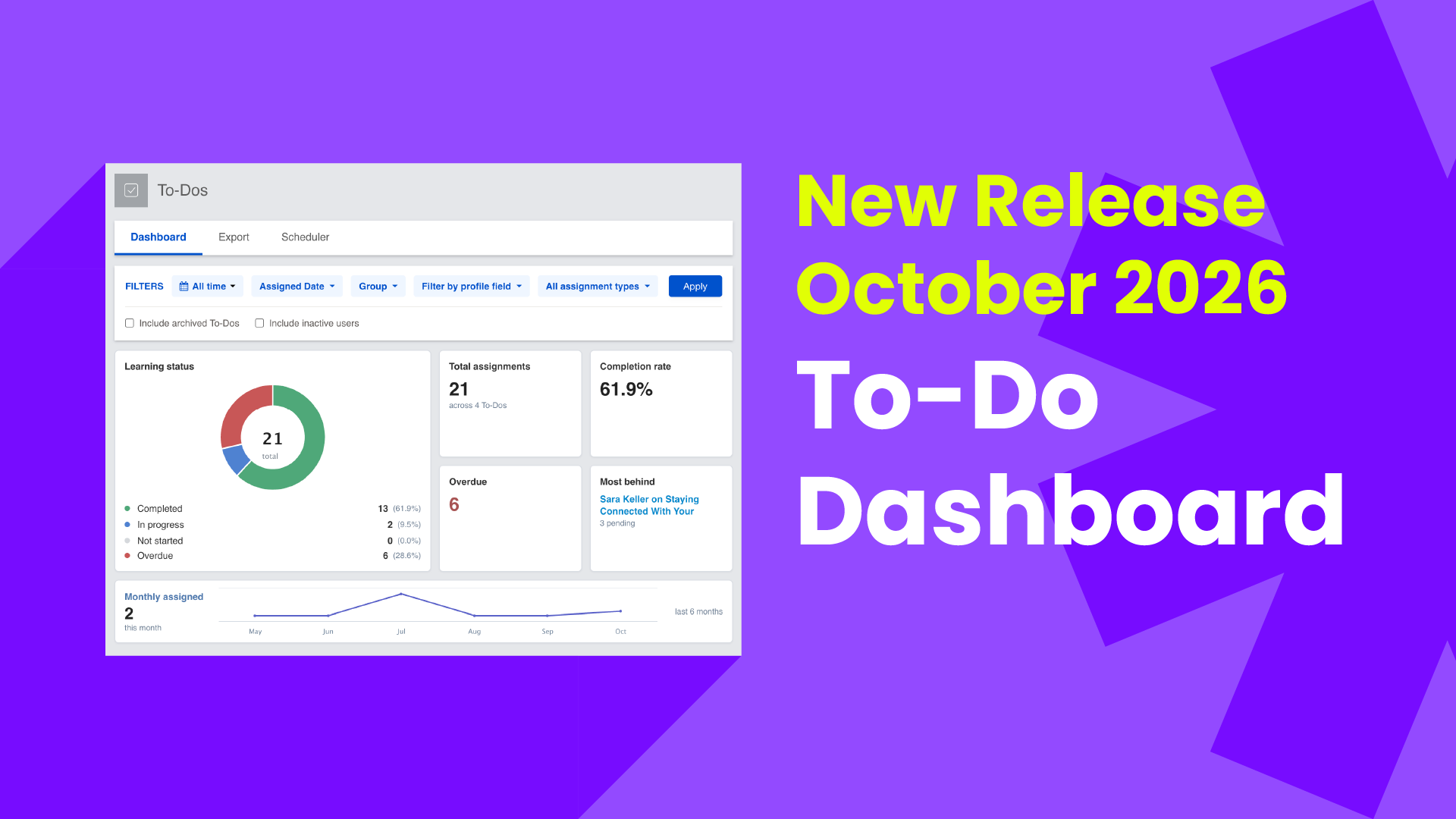
Tracking employee training just got easier! We've upgraded To-Do Reporting in Enterprise Coop to give admins a clearer picture of training progress, with less time spent digging through data.
The update introduces our first reporting dashboard, along with enhanced filtering capabilities that make it easier to find the information you need. Combined with data exports and scheduled reporting, these tools give admins more flexibility in how they monitor and manage training.
The new To-Do Dashboard puts important training information front and center. Instead of scrolling through individual assignments to understand where things stand, admins can quickly see:
With these insights in one place, it’s easy to spot gaps, monitor progress, and stay ahead of training deadlines.
Every organization tracks training a little differently. New filtering options let admins narrow their To-Do Reporting by group, assignment type, or custom profile fields such as Branch or NMLS ID.
As filters are applied, the dashboard updates automatically to reflect the selected data. This makes it easier to review training progress across different teams or branches without manually sorting through reports.
Sometimes you need more than a quick look at the dashboard. Admins can also export To-Do data from the Export tab for further analysis and schedule recurring reports from the Scheduler tab to stay informed on training progress. Together, these tools give admins more control over how they access and monitor training data, without the extra manual work.
We've also made it easier to see how your content connects to assigned training. When viewing a piece of content in your Coop, you can now see whether it's associated with any To-Dos directly from the right-hand menu.
This added visibility makes it easier to understand how content is being used in training assignments without having to navigate back to the To-Do Report.
Enhanced To-Do Reporting is now live in your Coop! Log in to explore the new features and see how they can help you manage training more efficiently.
Want a closer look? Contact our Customer Success team to schedule a personalized walkthrough of the updates and learn how to make the most of these new tools.